Win the work
Let customers book real availability, not a callback
Publish a branded booking page that shows live crew availability, lets customers pick the service and window, and lands the visit directly on the dispatch board.
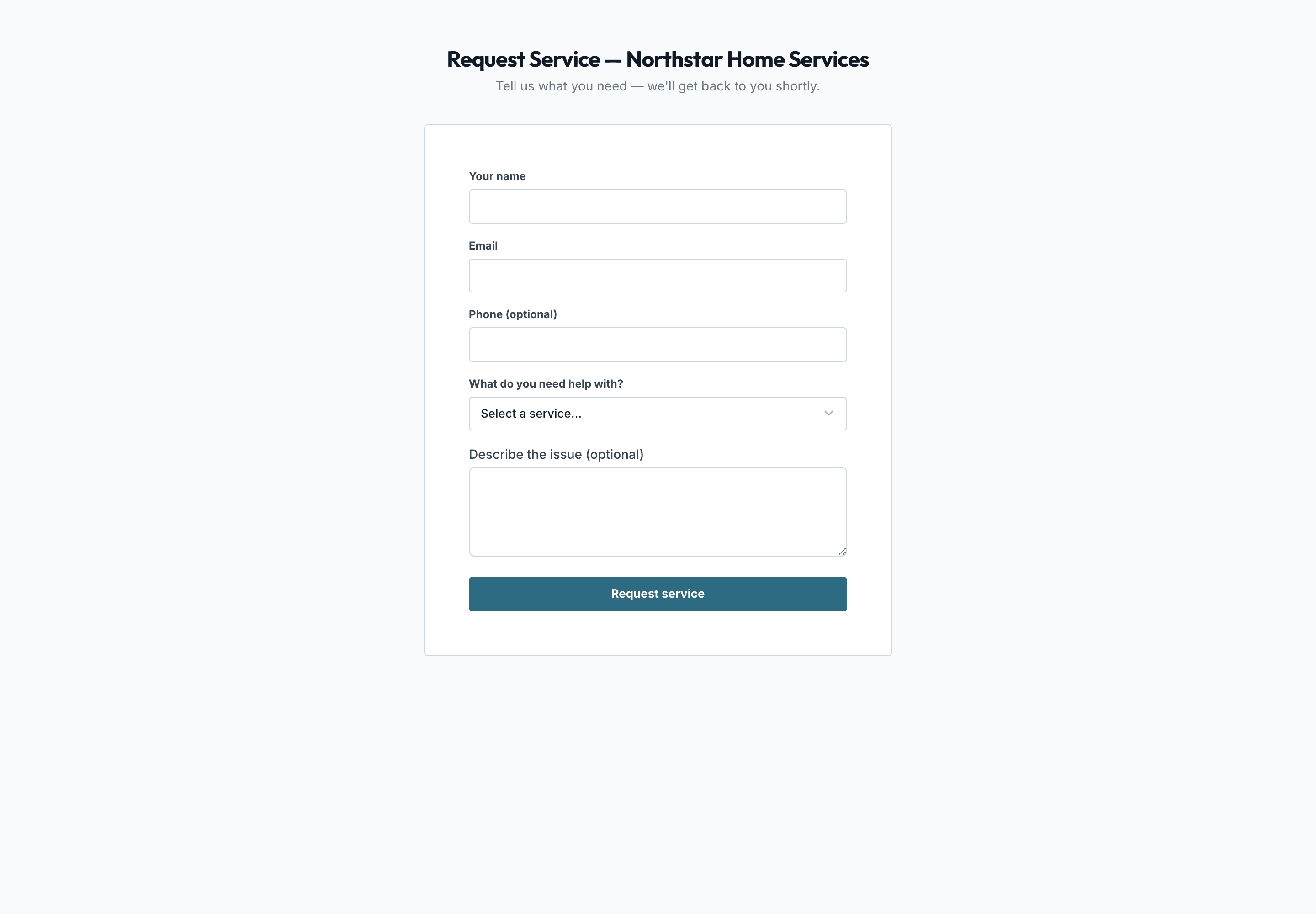
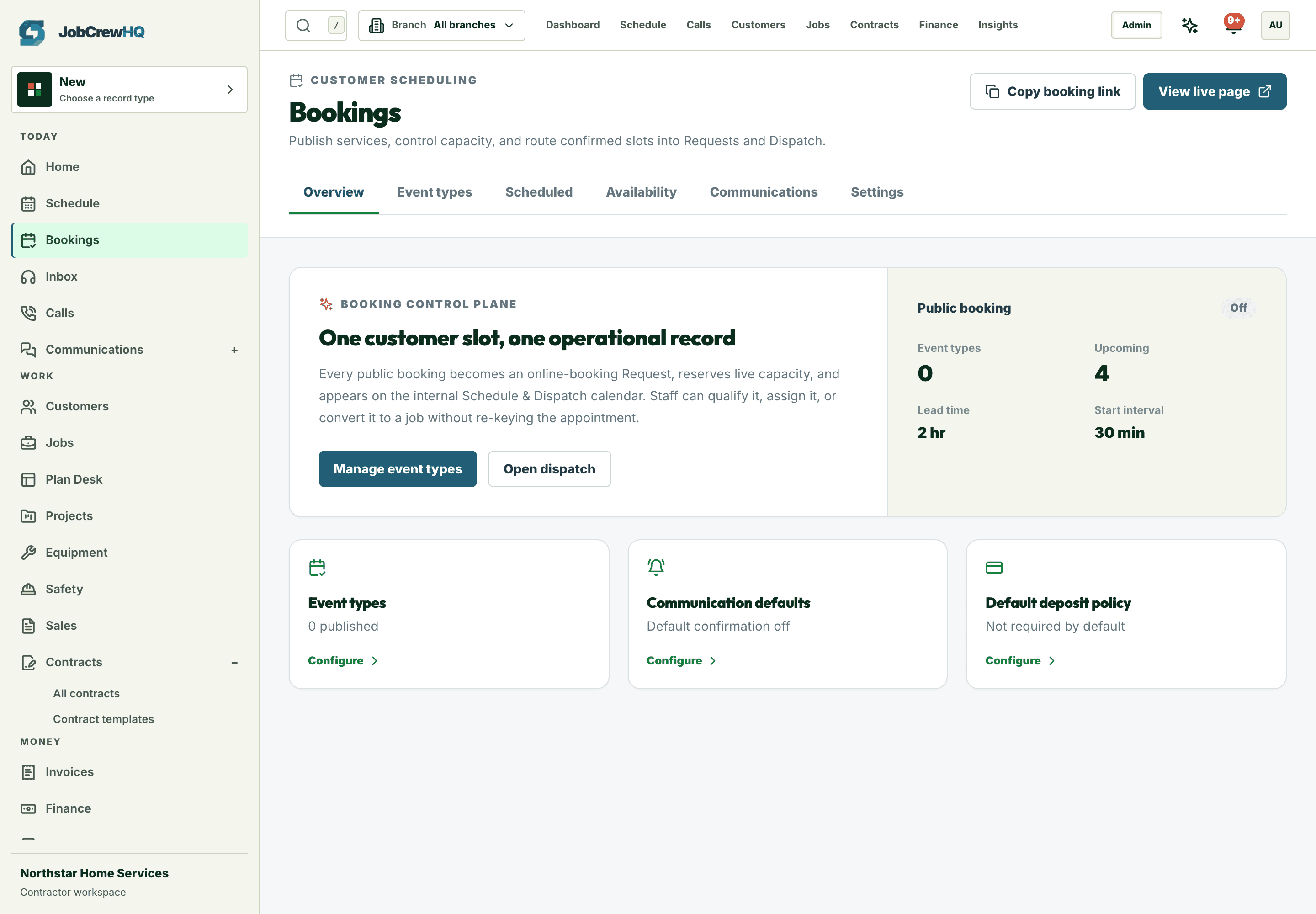
Owned by the office
Bookings land in a queue you control
Every self-serve booking arrives with the service, window, and customer details ready to confirm.
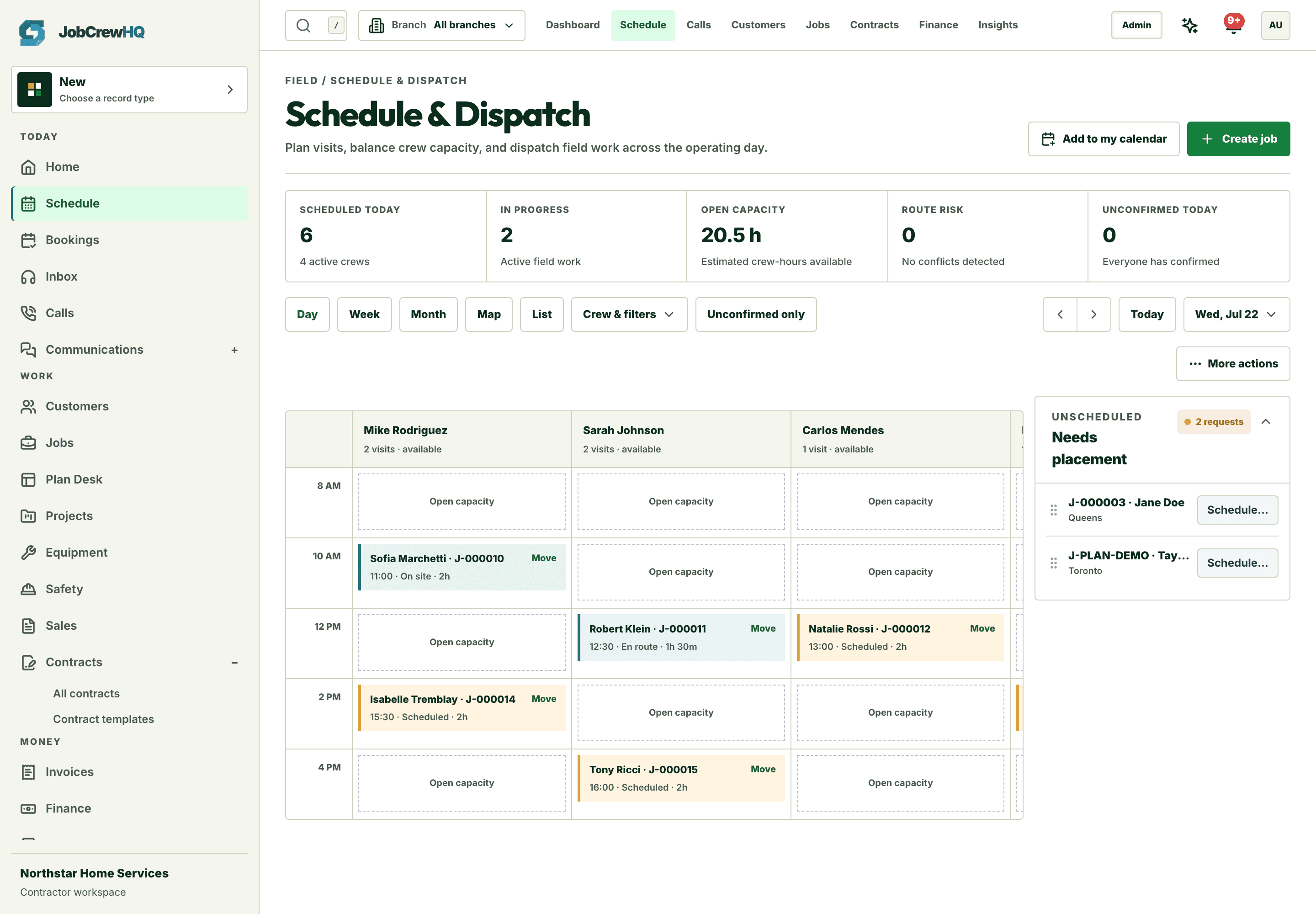
Straight to dispatch
Booked work drops onto the board
Confirmed bookings become scheduled visits against real crew capacity — no re-keying.
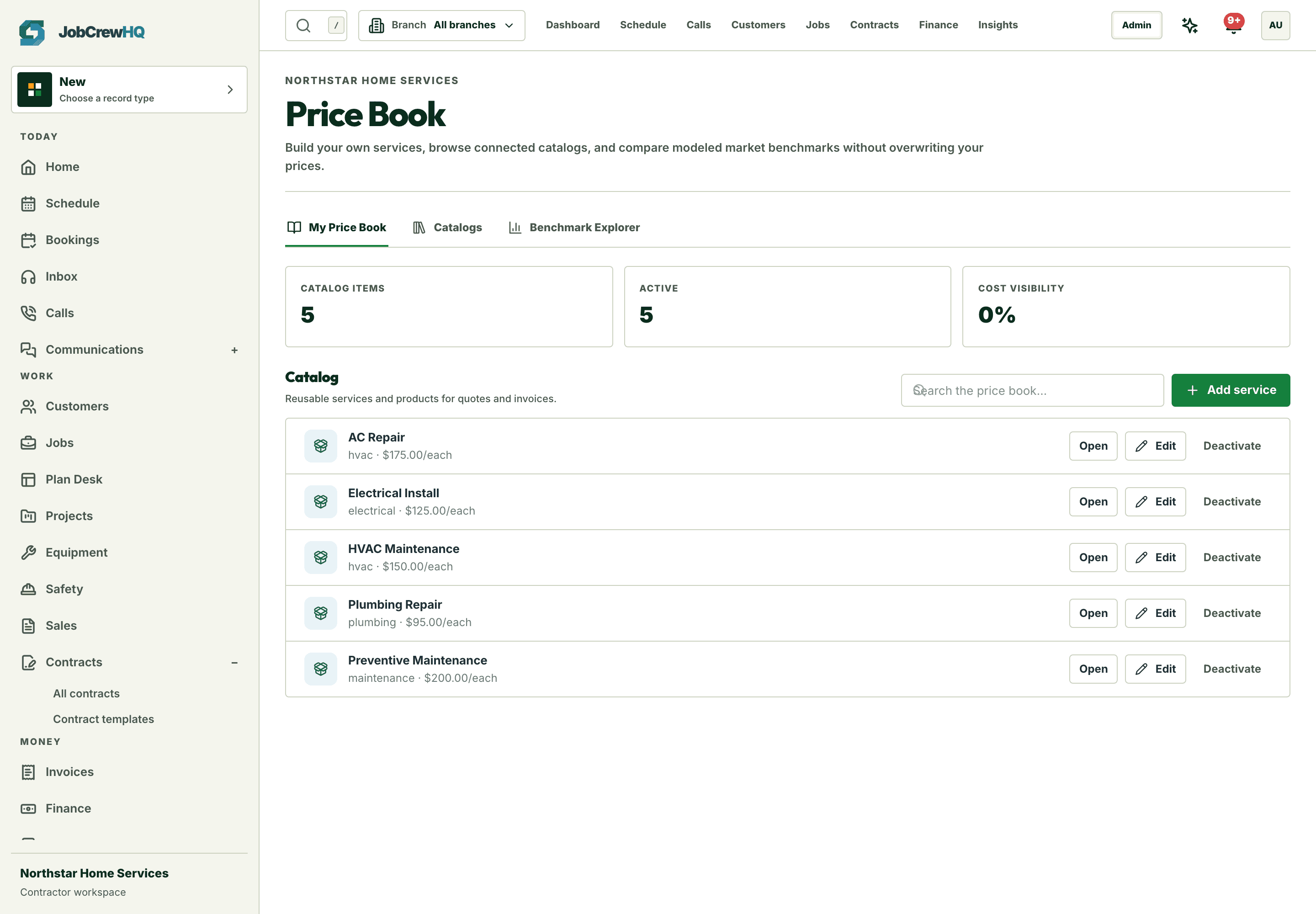
Priced right
Bookable services come from your price book
Customers choose from services you priced — not a free-text wishlist.
Capability
What the workflow includes
- Branded self-serve booking page on your own domain
- Live availability windows from real crew schedules
- Service selection priced from your price book
- Automatic confirmations, reminders, and dispatch handoff
How it moves
One path, four handoffs
- 01
Publish
Choose bookable services, crews, and windows once.
- 02
Choose
The customer picks the service and a real arrival window.
- 03
Confirm
Confirmation and reminders go out automatically.
- 04
Dispatch
The booking lands on the board ready to assign.
One connected system
It doesn’t work alone
Online booking shares records with schedule, requests, client crm and the rest of the platform — one login, one customer record, one operating loop.
Put online booking inside the same operating loop.
Start with the core workflow today, then add operational depth as your crew grows.